- Home Page /
- Electronics /
- Computer Accessories /
- Computer Accessories & Peripherals /
- Computer Hard Drive Accessories /
- Enclosures /
- Razer Core X Aluminum External GPU Enclosure ...
0 ratings




Item #:
8467871
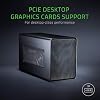
Razer Core X Aluminum External GPU Enclosure (eGPU): Compatible with Windows & MacOS Thunderbolt 3 Laptops, NVIDIA/AMD PCIe Support, 650W PSU,
Item #:
8467871
XCD 1356
Price Details
Excluding Shipping & Custom charges ( Shipping and custom charges will be calculated on checkout )
*All items will import from US
Out of stock
 Imported from USA store
Secured transaction
Ubuy works hard to protect your security and privacy. Our advanced payment security system ensures confidentiality by encrypting your information during transmission using AES (Advanced Encryption Standards) and SSL (Secure Socket Layer) protocols. Your payment details are 100% secure as we do not share your payment details with third party sellers.
Our Top Logistics Partners


Boosts Thunderbolt 3 laptop performance with support for up to 3 slot wide PCIe full sized desktop graphics cards

Fast
Shipping

Free
Return*

Secure Packaging

100% Original Products

PCI DSS Compliance

ISO 27001 Certified


Note: Step Down Voltage Transformer required for using electronics products of US store (110-120). Recommended power converters Buy Now.


What Stands Out
Universal Compatibility
Supports both Windows and MacOS laptops, providing flexibility for various users to enhance graphics performance with ease.
Powerful PSU
Equipped with a 650W power supply, it ensures reliable performance for high-demand graphics cards, enhancing gaming and creative workloads.
Stylish Design
The classic black aluminum enclosure provides a sleek and durable aesthetic, making it a stylish addition to any workstation setup.
Product Details
- Desktop Grade Performance: Boosts Thunderbolt 3 laptop performance with support for up to 3 slot wide PCIe full sized desktop graphics cards
- Built-In Power Supply: Includes a 650W ATX PSU with 100W laptop charging via Thunderbolt 3
- Compatibility (Windows): Requires Thunderbolt 3 external graphics (eGPU) support with RS45 or later and compatible NVIDIA or AMD graphics cards
- Compatibility (macOS): Requires Thunderbolt 3 and High Sierra 10.13.4 or later and compatible AMD graphics cards only (NVIDIA cards not supported)
- *Graphics Card NOT included
| Supported Motherboard | ATX |
| Case Type | Desktop |
| Cooling Method | Air |
| Total USB 2.0 Ports | 1 |
| Total Usb Ports | 3 |
| Hard Disk Form Factor | 3.5 Inches (8.9 cm) |
| Internal Bays Quantity | 3 |
| Compatible Devices | Compatibility (Windows): Requires Thunderbolt 3 external graphics (eGFX) support with RS45 or later and compatible NVIDIA or AMD graphics cards. Razer synapse 3 software not available on macOS ; Compatibility (macOS): Requires Thunderbolt 3 and High Sierra 10.13.4 or later and compatible AMD graphics cards only (NVIDIA cards not supported) |
| Color | Classic Black |
| Enclosure Material | Aluminum |
| Antenna Location | Gaming |
| Item Weight | 14.29 Pounds (6.48 kg) |
| Item Dimensions D x W x H | 9.06"D x 14.74"W x 6.62"H (23 x 37.4 x 16.8 cm) |
| Brand | Razer |
| Manufacturer | Razer USA Ltd |
| UPC | 814855028016 |
| Global Trade Identification Number | 00814855028016 |
| Mfr Part Number | RC21-01310100-R3U1 |
| Model Number | RC21-01310100-R3U1 |
| Unit Count | 1.0 Count |
| Built-In Media | Razer Core X |
| Item Type Name | Razer Core X - External Graphics Enclosure |
| Motherboard Compatability | ATX |
| Recommended Uses For Product | Gaming |
| Material | Aluminum |
| Product Dimensions (L x W x H) | 9.06"D x 14.74"W x 6.62"H (23 x 37.4 x 16.8 cm) |
| Number of USB 2 Ports | 1 |
Who Should Buy?

-
Gamers
Enhances gaming performance on laptops, allowing for a smoother experience with high-quality graphics and frame rates.
-
Creative Professionals
Ideal for video editing, 3D rendering, and graphic design, leveraging powerful GPUs to accelerate workflows significantly.
-
Mobile Workstations
Perfect for users needing desktop-level performance on the go, providing flexibility with compatible Thunderbolt 3 laptops.

-
Casual Users
May not benefit from the high performance and investment, as everyday tasks do not require powerful GPU capabilities.
-
Budget-Conscious
Higher price point may deter users looking for cost-effective solutions, as additional components are needed for full functionality.
-
Non-Thunderbolt Devices
Incompatibility with devices that lack Thunderbolt 3 ports limits functionality and excludes many laptops and desktops.
Product Description
Have any Query? Chat with us
Customer Questions & Answers
-
Question:
What is the Razer Core X Aluminum External GPU Enclosure?
Answer: The Razer Core X is a powerful external GPU enclosure that connects desktop-class graphics cards to your laptop through Thunderbolt 3. It allows users to enhance their laptop’s graphical capabilities, providing a superior gaming and creative experience. With support for both NVIDIA and AMD PCIe graphics cards, it caters to a wide range of users, from gamers to graphic designers. This means you can enjoy higher frame rates in games or faster rendering times in creative applications, all while using your laptop. -
Question:
Is the Razer Core X compatible with both Windows and MacOS?
Answer: Yes, the Razer Core X is designed to be compatible with both Windows and MacOS systems that support Thunderbolt 3. This compatibility ensures that a wide range of users can take advantage of its enhanced graphics capabilities. Whether you’re a Mac user looking to power-demanding applications or windows gamers seeking better performance, the Razer Core X provides a versatile solution perfectly suited for various workflows. -
Question:
What kind of graphics cards can I use with the Razer Core X?
Answer: The Razer Core X supports a range of NVIDIA and AMD PCIe graphics cards, allowing you to use popular models from manufacturers like GeForce and Radeon. This flexibility means that you can upgrade your external graphics setup with the latest GPUs on the market, ensuring optimal performance for gaming and creative tasks. For example, you could pair it with a high-end NVIDIA GeForce RTX card for ultra-settings in modern titles or an AMD Radeon for excellent productivity in design software. -
Question:
What is the power supply rating for the Razer Core X?
Answer: The Razer Core X is equipped with a robust 650W power supply, ensuring that it can sufficiently power high-performance graphics cards. This powerful PSU not only supports the demands of GPU performance but also provides adequate power to any additional peripherals you might connect. For instance, if you’re also gaming or multitasking with external monitors or USB devices, the Razer Core X has your power needs covered, making it a reliable companion for demanding tasks. -
Question:
Can I use the Razer Core X for gaming?
Answer: Absolutely! The Razer Core X is specifically designed to enhance gaming experiences by providing additional graphical power to your laptop. By connecting a powerful GPU, you can enjoy smoother gameplay at higher settings, which is particularly beneficial for graphically intensive games. For instance, it enables laptop users to play AAA titles at high frame rates without performance drops, making it an essential tool for serious gamers wanting to maximize their gaming potential. -
Question:
How do I set up the Razer Core X with my laptop?
Answer: Setting up the Razer Core X takes just a few simple steps. First, you'll connect the enclosure to your laptop using the Thunderbolt 3 cable. Next, insert your desired PCIe graphics card into the enclosure’s PCIe slot and ensure it is properly secured. Finally, connect the power supply to the enclosure and power it on. Your laptop should recognize the external GPU, prompting you to install necessary drivers to optimize performance. This straightforward setup process allows for a seamless transition from internal to external graphics. -
Question:
Does the Razer Core X support multiple displays?
Answer: Yes, one of the standout features of the Razer Core X is its ability to support multiple displays. Once connected to a powerful external GPU, users can extend their setup seamlessly across multiple monitors. This feature enhances productivity for creative professionals or provides an immersive gaming experience. For example, you could use one screen for gaming while the other is utilized for browsing or streaming, maximizing your screen real estate while enjoying rich visuals. -
Question:
Is the Razer Core X portable?
Answer: While the Razer Core X is designed for portability, it is best suited for users who can transport it relatively easily. Its sturdy aluminum exterior offers durability while maintaining a sleek profile. Users who travel with their laptops and need a powerful graphics upgrade on the go will appreciate this design. However, it’s worth noting that the enclosure is not as lightweight as portable devices, so it may be better suited for a semi-permanent setup in a home or office environment. -
Question:
What are the cooling features of the Razer Core X?
Answer: The Razer Core X comes with an efficient cooling system designed to keep your GPU at optimal temperatures during heavy usage. Its open-air design ensures proper airflow and dissipates heat effectively, allowing for uninterrupted performance during intense gaming sessions or demanding creative tasks. This is particularly important for maintaining GPU longevity and performance, as overheating can lead to throttling. Users can expect reliable performance from their GPU without worrying about heat build-up. -
Question:
Where can I buy the Razer Core X Aluminum External GPU Enclosure eGPU?
Answer: You can buy the Razer Core X Aluminum External GPU Enclosure from Ubuy in Montserrat. Ubuy offers a wide selection of electronics and tech accessories, making it a trustworthy platform for purchasing the latest tech products. Additionally, Ubuy provides detailed product information and support to ensure you make an informed decision when enhancing your gaming or creative setup.
Razer Enclosures RC21-01310100-R3U1 Editorial Review


The Razer Core X is a portable graphics card enclosure designed to be connected to an ultraportable laptop using the Thunderbolt 3 port. The device was designed to improve the graphics processing performance of a laptop, which is suitable for gaming or CAD applications requiring heavy graphics. The product comes with a Thunderbolt 3 cable, but it doesn't come with a graphics card. The product is compatible with any notebook or desktop using the Thunderbolt 3 port, as long as the operating system supports it. Based on the products' reviews, the device has a few issues such as bad internal space planning or PSU failure that may cause inconvenience to customers.
Customer Reviews & Ratings
1946 customers ratings
-
5 Star
66%
-
4 Star
14%
-
3 Star
6%
-
2 Star
4%
-
1 Star
10%
Review this product
Share your thoughts with other customers
Pros
- Compatible with any notebook or desktop as long as it has a Thunderbolt 3 port
- Increases laptops' graphics processing performance for gaming or CAD applications
- Future-proof as customers can upgrade their graphics card in the future
Cons
- Bad internal space planning
Product Price History
Important information
- Limitations : For products shipped internationally, please note that any manufacturer warranty may not be valid; manufacturer service options may not be available; product manuals, instructions, and safety warnings may not be in destination country languages; the products (and accompanying materials) may not be designed in accordance with destination country standards, specifications, and labeling requirements; and the products may not conform to destination country voltage and other electrical standards (requiring use of an adapter or converter if appropriate). The recipient is responsible for assuring that the product can be lawfully imported to the destination country. When ordering from Ubuy or its affiliates, the recipient is the importer of record and must comply with all laws and regulations of the destination country.
- Not all the products listed on Ubuy are for sale, as Ubuy is a global search engine. Products are subject to export/trade regulations.
XCD 1356
Currently unavailable.
We don't know when or if this item will be back in stock.
This item is not restrict in my country.(Please click on above link if this item is not restrict in your country, So our team will review and allow.)
Secured transaction
Ubuy works hard to protect your security and privacy. Our advanced payment security system ensures confidentiality by encrypting your information during transmission using AES (Advanced Encryption Standards) and SSL (Secure Socket Layer) protocols. Your payment details are 100% secure as we do not share your payment details with third party sellers.
Our Top Logistics Partners
Fastest cross-border delivery
Features & Benefits
- Increases performance of Thunderbolt 3 laptops
- Supports up to 3 slot wide PCIe full sized desktop graphics cards
- Built-in 650W power supply with 100W laptop charging via Thunderbolt 3
- Compatible with compatible NVIDIA or AMD graphics cards on Windows
- Compatible with AMD graphics cards only on macOS
- Graphics card not included