- Home Page /
- Industrial Supplies /
- Digital Signage /
- Media Players /
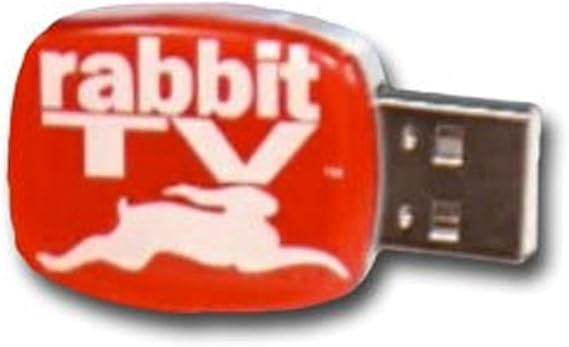
- Telebrands Rabbit Tv USB Stick, red, Model: 6686
0 ratings


Item #:
123545
Telebrands Rabbit Tv USB Stick, red, Model: 6686
74% of respondents would recommend this to a friend
Item #:
123545
XCD 81
Price Details
Excluding Shipping & Custom charges ( Shipping and custom charges will be calculated on checkout )
*All items will import from US
0 ratings
Write a review
In stock
 Imported from USA store
QTY:
Order now and get it around Tuesday, October 20
Secured transaction
Ubuy works hard to protect your security and privacy. Our advanced payment security system ensures confidentiality by encrypting your information during transmission using AES (Advanced Encryption Standards) and SSL (Secure Socket Layer) protocols. Your payment details are 100% secure as we do not share your payment details with third party sellers.
Our Top Logistics Partners


The Rabbit TV USB offers access to over 2000 free internet TV stations and 9000 radio stations, giving you an incredible entertainment system on any computer!

Fast
Shipping

Free
Return*

Secure Packaging

100% Original Products

PCI DSS Compliance

ISO 27001 Certified



Note: Step Down Voltage Transformer required for using electronics products of US store (110-120). Recommended power converters Buy Now.


What Stands Out
User-Friendly Interface
Rabbit TV USB Stick offers a straightforward navigation system, making it accessible for users of all ages to easily find and watch their favorite shows and movies without technical hassles.
Extensive Content Access
This device provides access to thousands of channels and streaming services, allowing users to enjoy a wide variety of entertainment options without the need for multiple subscriptions.
Portable Design
The compact and lightweight design of the Rabbit TV USB Stick ensures easy portability, making it perfect for on-the-go viewing, whether at home or while traveling.
Product Details
- Access over 2000 free internet TV stations and over 9000 radio stations
- Turn any computer into an entertainment system by simply plugging in the Rabbit TV USB
- Watch thousands of internet cable TV shows for free on your computer
- Fits any PC, desktop or laptop and installs easily in seconds
- No limit to how much internet TV you can watch
- Use at home, work, campus, hotel rooms, or airport for entertainment
Who Should Buy?

-
Casual Viewers
Ideal for users wanting easy access to streaming content without subscriptions or complicated setups.
-
Travel Enthusiasts
Perfect for those who travel frequently and want portable entertainment options on hotel TVs.
-
Limited Tech Savvy
Great for individuals who may struggle with technology, providing a simple way to watch various shows online.

-
Heavy Streamers
Not suitable for users who require high-definition streaming or advanced features offered by more robust devices.
Product Description
Telebrands Rabbit Tv USB Stick, red, Model: 6686
Have any Query? Chat with us
Customer Questions & Answers
-
Question:
What is the Rabbit TV USB Stick and what does it do?
Answer: The Rabbit TV USB Stick is a compact device designed to provide users access to a vast array of online TV channels and streaming services. By connecting it to your TV's USB port, you can enjoy various shows, movies, and live broadcasts from the internet. It’s ideal for those who want to enhance their viewing experience without needing complex setups or subscriptions, offering a convenient solution for cord-cutters looking for affordable entertainment options. -
Question:
How do I set up the Rabbit TV USB Stick?
Answer: Setting up the Rabbit TV USB Stick is straightforward. Simply plug the USB stick into an available USB port on your TV, ensure that you are connected to Wi-Fi, and follow the on-screen instructions to activate your device. This quick setup allows you to start streaming content almost immediately, making it perfect for those who want instant access to a variety of channels. Ideal for both seasoned tech users and newcomers alike, it helps to bridge the gap between traditional TV and online streaming. -
Question:
Is Rabbit TV USB Stick compatible with all TVs?
Answer: The Rabbit TV USB Stick is generally compatible with most modern TVs that have a USB port and support for screen mirroring or smart features. However, older models may not support the necessary applications required for optimal functionality. To ensure compatibility, check your TV model's specifications or consult the user manual. This device is perfect for enhancing older TV models or even for use in RVs and mobile homes, providing entertainment anywhere. -
Question:
What kind of content can I watch with the Rabbit TV USB Stick?
Answer: With the Rabbit TV USB Stick, you can access an extensive range of content including live TV channels, on-demand movies, and series from various streaming platforms. This versatility allows you to watch everything from news and sports to documentaries and kids’ programming, making it suitable for family entertainment. It's a fantastic option for those who enjoy a mix of traditional and contemporary viewing experiences, perfect for gatherings or for personal relaxation. -
Question:
Do I need a subscription to use Rabbit TV USB Stick?
Answer: No, the Rabbit TV USB Stick does not typically require a subscription to access free channels. However, it may provide options for premium content services that do offer subscription models. For users primarily interested in free streaming options, it serves as a budget-friendly solution. This makes it great for individuals or families looking to cut costs while still enjoying a diverse range of entertainment choices. -
Question:
Can I watch Rabbit TV USB Stick on multiple devices?
Answer: The primary purpose of the Rabbit TV USB Stick is to enable streaming on your TV using the USB connection. While the stick itself is designed for one TV at a time, many users find it simple to unplug from one television and plug it into another. This flexibility allows you to enjoy your favorite shows in different rooms or locations, making it a versatile option for your entertainment needs. -
Question:
What are the system requirements for Rabbit TV USB Stick?
Answer: The Rabbit TV USB Stick generally requires a TV with an available USB port and a reliable internet connection via Wi-Fi. Compatibility with various streaming services is also essential; thus, having a smart TV or a television that supports screen mirroring enhances usability. These system requirements ensure that users can seamlessly stream a wide variety of content, making it suitable for most contemporary viewing environments. -
Question:
Can I access local channels with Rabbit TV USB Stick?
Answer: Yes, the Rabbit TV USB Stick can provide access to some local channels depending on the apps and services you choose to connect through the device. Typically, many popular streaming services offer local news and programming, making it a practical choice for users wanting updates and live broadcasts from their area. This feature is particularly beneficial for those wishing to stay connected with their local community without the need for traditional cable services. -
Question:
What should I do if the Rabbit TV USB Stick is not working?
Answer: If the Rabbit TV USB Stick is not functioning properly, check that it is securely connected to the USB port and ensure your TV is set to the correct input mode. If necessary, reset the device or disconnect and reconnect it. Many users find that restarting their home router improves connectivity. Additionally, consulting the troubleshooting section in the user manual can help resolve common issues you may encounter, ensuring a smoother streaming experience. -
Question:
Where can I buy Rabbit TV USB Stick, red, Model: 6686?
Answer: You can purchase the Rabbit TV USB Stick, red, Model: 6686 at Ubuy in Montserrat. Ubuy offers a convenient online shopping experience with a wide selection of electronic products, making it easy to find this innovative streaming device for your home entertainment needs.
Telebrands Media Players Editorial Review
Telebrands Rabbit Tv USB Stick, red, Model: 6686 offers a unique way to access live OTA television channels along with a variety of cable channel episodes. However, users have reported significant challenges, including confusion during the login process, as noted in reviews highlighting its troubled setup that can involve misleading prompts for credit card information under the guise of free access. While some appreciated the ability to use it across web-enabled devices, others expressed disappointment with the overall selection of channels and the user experience. Many reviews criticize it as a waste of time, with claims of poor reception and limited content, ultimately labeling it as less than satisfactory for most users.
Customer Reviews & Ratings
1 customers ratings
-
5 Star
100%
-
4 Star
0%
-
3 Star
0%
-
2 Star
0%
-
1 Star
0%
Review this product
Share your thoughts with other customers
Pros
- Easy to set up on multiple devices
- Access to live OTA television channels
- User support available through live chat
- Good selection of cable channel episodes
- Affordable entertainment option for budget-conscious users
Cons
- Confusing initial setup process may frustrate users
Platform Trust & Buyer Confidence

JK
Jasmin
Verified buyer
“Great products and very good service: very easy and very fast international delivery.”
9 September 2026 · via Trustpilot
AG
Anke
Verified buyer
“Wonderful online shopping experience, smooth transaction from the start. Payment method works conveniently and delivery is unexpectedly fast and reliable. You go the extra mile for service. What makes this even more amazing, you deliver to Namibia. I will remain a happy Ubuy customer and will increase my purchases for sure! Thank you!”
10 September 2026 · via Trustpilot
H
Hazel
Verified buyer
“Very easy to find the products what you need, and so fast delivery, that’s why I highly recommended to others costumers to used ubuy.”
10 September 2026 · via Trustpilot
O
Opaleye
Verified buyer
“I received exactly what I ordered I was skeptical about your site because that was my first time to order. But the order came timely and neatly packaged. I was not disappointed. Thank you.”
11 September 2026 · via Trustpilot
AC
Adele
Verified buyer
“Easy to find and order what you want on the website. Delivery is quick to the UK”
8 September 2026 · via Trustpilot
Secure Checkout
Global Delivery
Easy Returns
Genuine Products
Product Price History
Important information
- Limitations : For products shipped internationally, please note that any manufacturer warranty may not be valid; manufacturer service options may not be available; product manuals, instructions, and safety warnings may not be in destination country languages; the products (and accompanying materials) may not be designed in accordance with destination country standards, specifications, and labeling requirements; and the products may not conform to destination country voltage and other electrical standards (requiring use of an adapter or converter if appropriate). The recipient is responsible for assuring that the product can be lawfully imported to the destination country. When ordering from Ubuy or its affiliates, the recipient is the importer of record and must comply with all laws and regulations of the destination country.
- Not all the products listed on Ubuy are for sale, as Ubuy is a global search engine. Products are subject to export/trade regulations.
XCD 81
Order now and get it around Tuesday, October 20
This item is not restrict in my country.(Please click on above link if this item is not restrict in your country, So our team will review and allow.)
QTY:
Secured transaction
PCI DSS compliant and ISO 27001:2022 certified, with encrypted payments and full buyer protection on every order.
Our Top Logistics Partners
Fastest cross-border delivery
Features & Benefits
- Access over 2000 free internet TV stations and 9000 radio stations
- Plug and play on any PC or laptop with internet access
- No limit to how much you can watch
- Install and start watching in seconds
- Use it at home, work, campus, hotel rooms or airport
- Channels include ABC, CBS, ESPN, FOX, Liftime, PBS
Ubuy Assurance
Experience worry-free shopping with 100% original products, PCI DSS-compliant payment security, ISO 27001-certified data protection, the fastest cross-border delivery, free returns *, and secure packaging on every order.